
Setting up LibreChat with NanoGPT's API
Want to use LibreChat with NanoGPT? Here's how to set it up using LibreChat's configuration system.
Quick Setup Guide
- Get your API key from nano-gpt.com/api
- Locate your LibreChat installation's
librechat.example.ymlfile - Create a copy named
librechat.yml - Add the following configuration to your
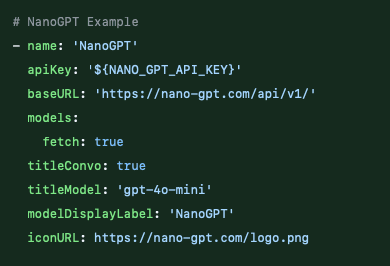
librechat.yml:
# NanoGPT Example
- name: 'NanoGPT'
  apiKey: '${NANO_GPT_API_KEY}'
  baseURL: 'https://nano-gpt.com/api/v1/'
  models:
      default: [
        "chatgpt-4o-latest",
        "gpt-4o-mini",
        ]
      fetch: true
  titleConvo: true
  titleModel: 'gpt-4o-mini'
  modelDisplayLabel: 'NanoGPT'
iconUrl: https://nano-gpt.com/logo.png- Set your API key in your environment variables:
export NANO_GPT_API_KEY='your-api-key-here'That's it! Restart LibreChat, and you'll have access to all NanoGPT models through the interface.
Configuration Explained
Let's break down the configuration options:
name: Identifies the provider in LibreChatapiKey: Your NanoGPT API key (using environment variable)baseUrl: NanoGPT's API endpointmodels.fetch: Automatically fetches available modelstitleConvo: Enables conversation titlingtitleModel: Model used for generating conversation titlesmodelDisplayLabel: How it appears in the interfaceiconUrl: NanoGPT's logo for visual identification
Available Models
Through this integration, you can access all our models, including:
- ChatGPT
- Claude 3.7 Sonnet
- Gemini 2.0 Pro
- Perplexity
- And many more!
For a complete list of available models and their pricing, visit our pricing page.
Why Use NanoGPT with LibreChat?
- Simple Configuration: Easy setup through YAML configuration
- Environment Variable Support: Secure API key management
- Automatic Model Discovery: Access to all models automatically
- Custom Branding: Proper visual integration with icon support
- Cost-Effective: Pay only for what you use
Need Help?
If you run into any issues or have questions about using NanoGPT with LibreChat, feel free to:
- Join our Discord server for community support
- Contact our support team at support@nano-gpt.com
- Check LibreChat's documentation for general setup questions